Skip to content
cpmm

Cyberpunk 2077 · Linux & Steam Deck

Mod Night City. Leave the game folder alone.

cpmm keeps every mod in its own layer and mounts them over the game only while it runs. No root, no copied files, nothing to clean up afterwards. Built in Rust, made for Linux and Steam Deck.

Linux · Steam Deck · ROG Ally Windows & macOS coming MIT licensed
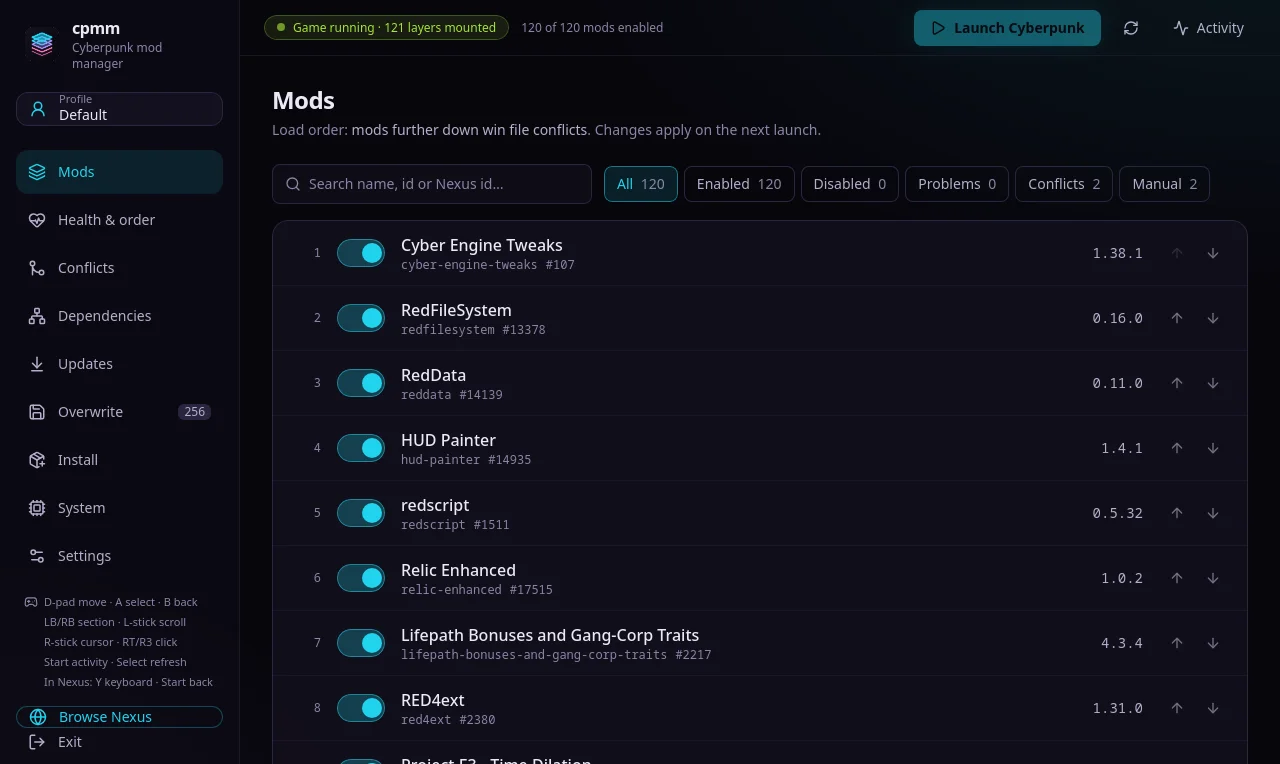
The cpmm Mods view: 120 enabled mods in load order, with filters for conflicts and problems, and a Launch Cyberpunk button.

How it works

Layers, not copies

Each mod is staged on its own. When you launch through Steam, cpmm stacks the enabled mods over your vanilla game directory with overlayfs, inside a private namespace that only the game can see.

  • No root, no FUSE. Unprivileged user namespaces and overlayfs, both in the mainline kernel.
  • Steam sees the real game. Updates and “Verify integrity of game files” never touch your mods.
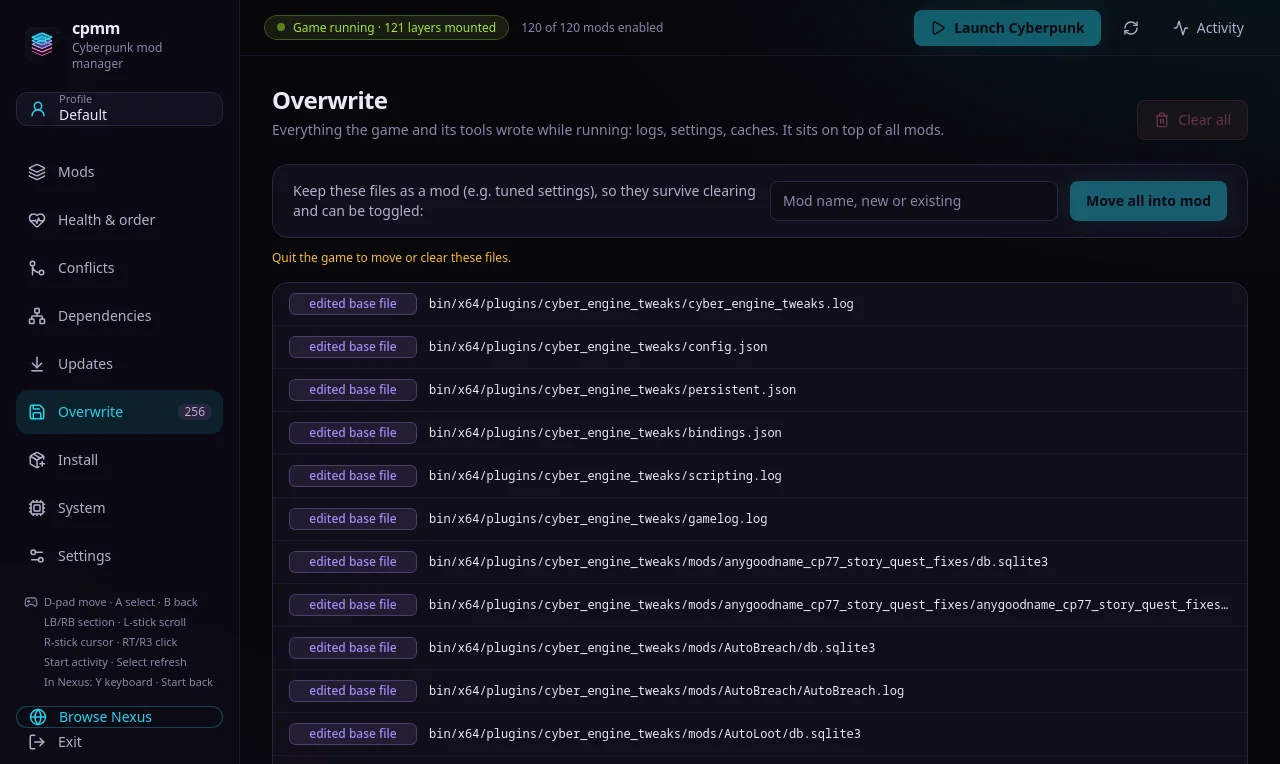
  • Nothing left behind. When the game exits, the mount disappears. Runtime writes land in the overwrite layer, never in the game folder.
  1. overwrite/runtime writes
  2. Lifepath Bonuseswins conflicts
  3. HUD Paintermod layer
  4. RedDatamod layer
  5. Cyber Engine Tweaksloads first
  6. Cyberpunk 2077/vanilla, untouched
What the game sees at launch. Mods further down the load order sit higher in the stack and win conflicts.

Tour

Everything in one place

cpmm Mods view. Your load order at a glance: toggle, reorder, and search by name or Nexus id.
Your load order at a glance: toggle, reorder, and search by name or Nexus id.
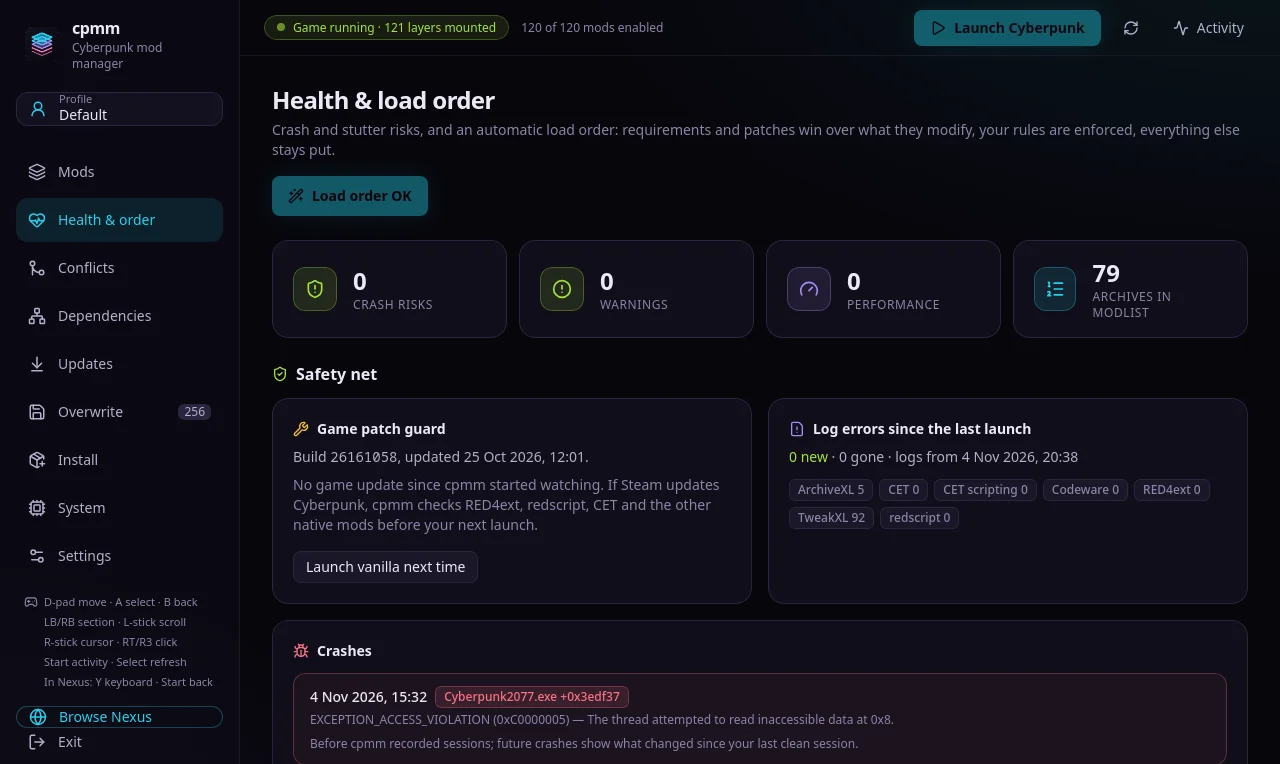
cpmm Health view. The doctor flags crash and stutter risks before you launch.
The doctor flags crash and stutter risks before you launch.
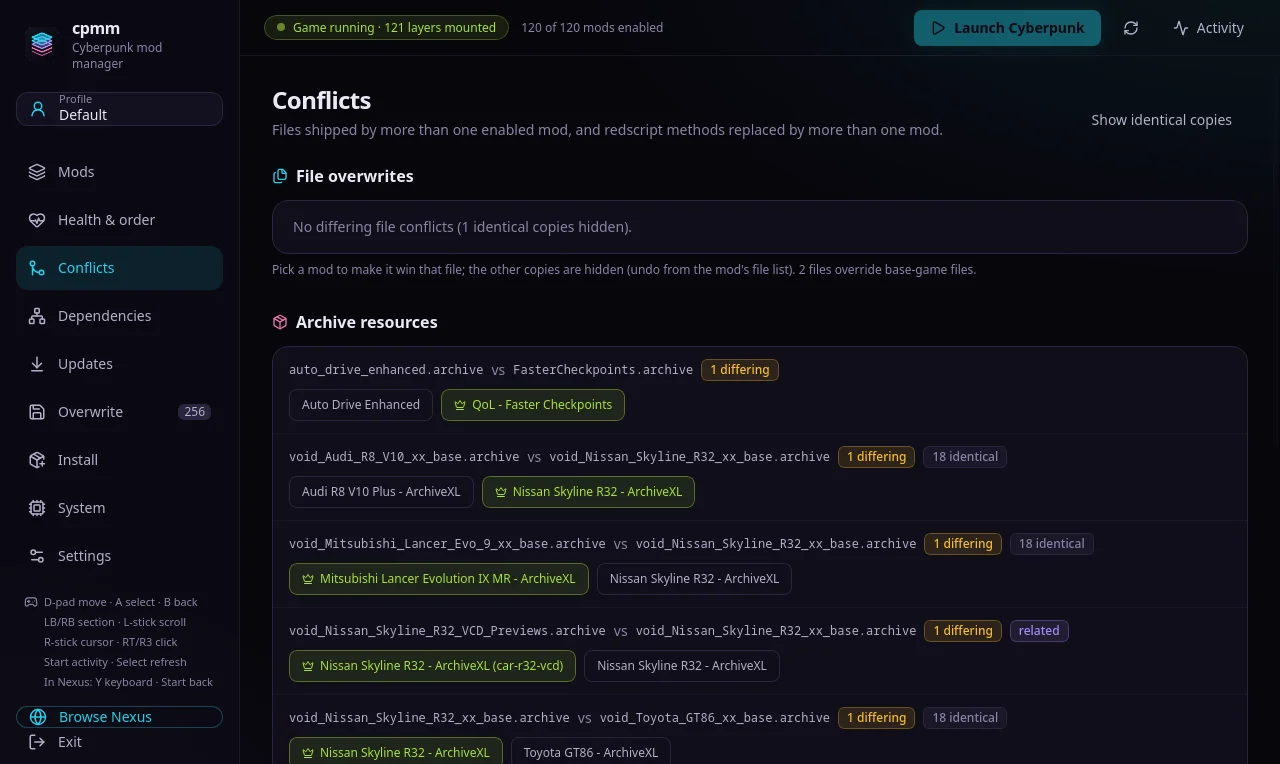
cpmm Conflicts view. See exactly which files and archive resources two mods fight over, then hide or prefer.
See exactly which files and archive resources two mods fight over, then hide or prefer.
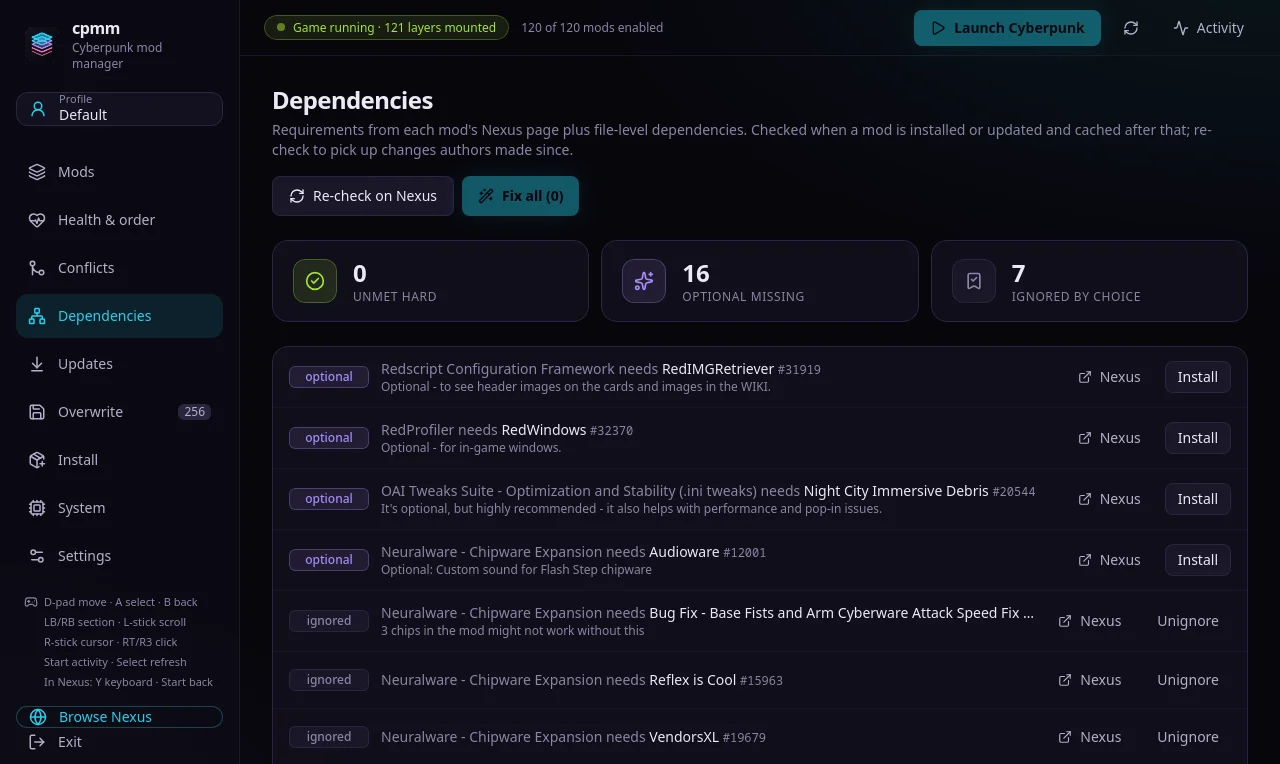
cpmm Dependencies view. Missing and disabled requirements, with a one-click fix.
Missing and disabled requirements, with a one-click fix.
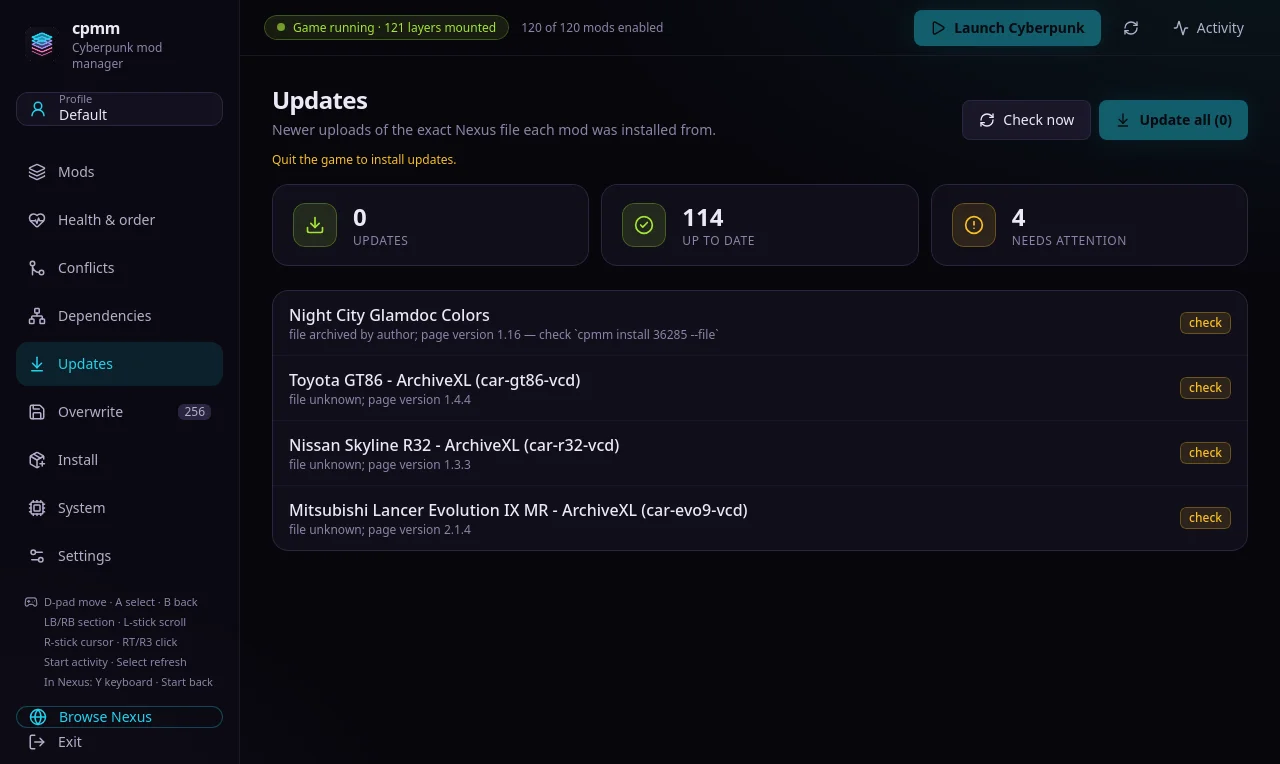
cpmm Updates view. Newer uploads of the files you installed, with each mod's changelog beside it.
Newer uploads of the files you installed, with each mod's changelog beside it.
cpmm Overwrite view. Everything the game wrote at runtime, kept apart, and easy to keep or clear.
Everything the game wrote at runtime, kept apart, and easy to keep or clear.
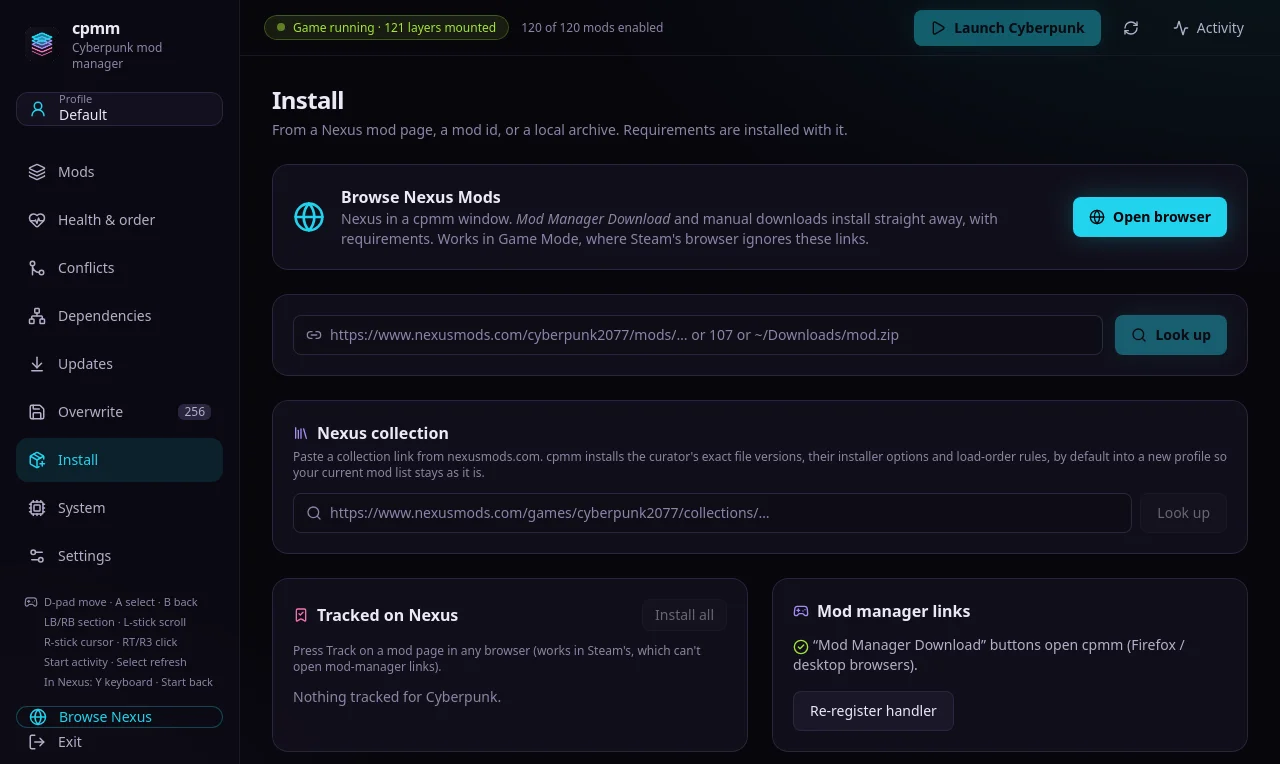
cpmm Install view. Install from Nexus, a local archive, or a whole Collection.
Install from Nexus, a local archive, or a whole Collection.
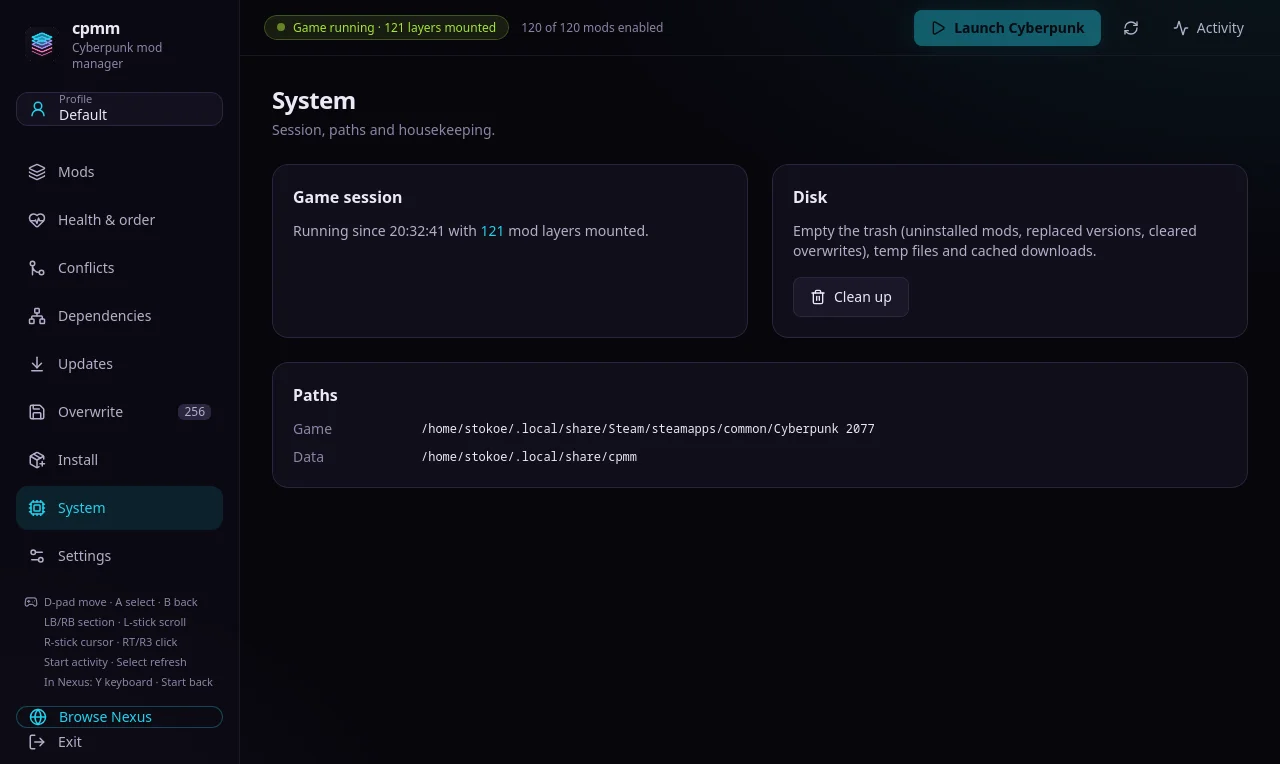
cpmm System view. Kernel, overlayfs and Steam checks in one place.
Kernel, overlayfs and Steam checks in one place.
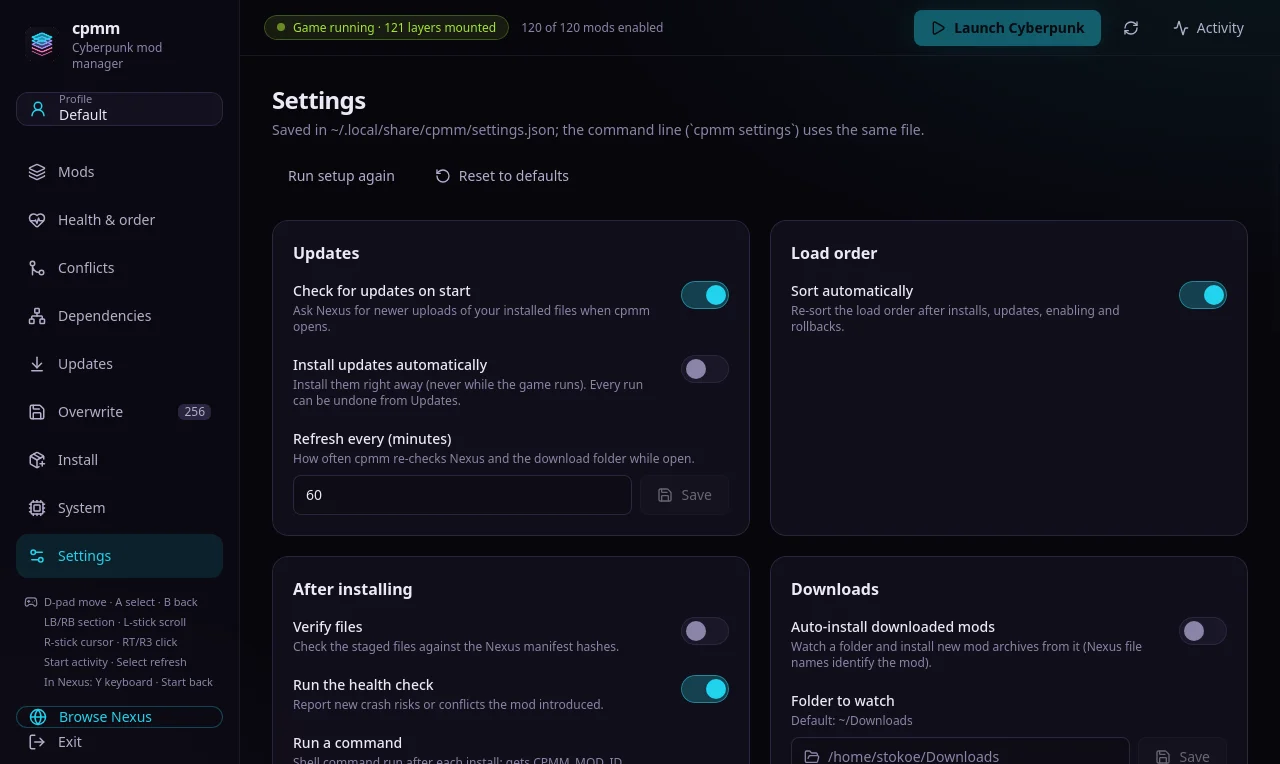
cpmm Settings view. Shared with the CLI: every setting has a sensible default.
Shared with the CLI: every setting has a sensible default.

Features

Built for big load orders

Install from anywhere

Nexus “Mod Manager Download” links, manual archives, FOMOD installers and whole Nexus Collections. Every download is checked against the Nexus SHA-256 manifest.

Conflicts you can see

Loose-file overlaps, resources inside .archive files and redscript @replaceMethod clashes. Identical copies are filtered out, so only the real ones show.

A load order that sorts itself

A stable, dependency-aware sort that only moves mods that actually overlap. Add your own rules when you want a say.

Updates with “What's new”

Check for newer uploads, read the mod's changelog, update one or all, and undo the whole batch if something breaks.

Profiles, with their own saves

A story run and a chaos run side by side. Switching is instant, and a profile can keep its saves apart from the rest.

A real safety net

Rollback to earlier versions, save snapshots before risky changes, crash triage from minidumps, and a guard for game patches.

Handheld first

At home in Game Mode

cpmm was built on a handheld. Large touch targets and full controller navigation, a built-in Nexus browser you can drive with the sticks, and one command to add cpmm to your Steam library, artwork included.

Steam Deck setup
D-pad / stick
move
A
select
B
back
LB / RB
switch section
Y
on-screen keyboard
Start
activity

Open source

No server. No telemetry. Your key stays home.

cpmm talks to one service: the Nexus Mods API, and only when you ask it to. Your API key is read from your machine and sent nowhere else. Nothing polls in the background, and launching the game makes no requests at all.

  • Rust

    CLI and core in Rust; the GUI is a Tauri app.

  • MIT

    Use it, fork it, ship it.

  • CLI + GUI

    The GUI runs the same commands as the terminal.

  • Rate-limit friendly

    Caches metadata and backs off on 429s.

Platforms

Ready on Linux today

Linux

Available now

Kernel 6.8+, x86_64

Steam Deck

Available now

Also ROG Ally on Linux

Windows & macOS

Coming

Follow progress